Showing posts with label Open Source Development. Show all posts

Shopify Vs Magento - A Comparative Study to Find the Better e-Commerce Platform

shopify vs magento

A new online store pops up every second day in this era of total technological dominance. But not all reach the desired success levels. Many factors play a key role in the success of  an online business, but choosing the right content management system platform for your online store is as important as the type of business you have chosen to take up itself. Shopify and Magento are two such CMS platforms that are widely used for e-commerce store creation and let's dissect them further to compare and find out what are the main differences.

Shopify Vs Magento – An Introduction


To start, Shopify is a commercial product and is a hosted solution, i.e., your online store will be hosted by them. Magento is a community-backed, free, open-source software that requires you to do the hosting, installation, configuration and setup. Hence, you need a resourceful open source development company to help you create the store.

Shopify Vs Magento – Features


The features of Shopify and Magento can be further classified for simple understanding.

The functionality of the Online Store

Both Shopify and Magento score points here as they both offer powerful and easy-to-maintain online store functionalities.

Managing the Inventory

Magento offers an unlimited amount of items while Shopify's starter plan offers you a maximum of 25 stores items and the other plans offers unlimited items, that can be added and sold through your store. One has to be mindful of the server speed when using the Magento as it may cause many complexities if you add too many products.


Multiple Payment Gateway Options

Shopify supports up to 70 various payment gateways and that is significantly more than what Magento can support. However, more payment gateway options can be added to Magento through third-party add-ons. 


Web Templates and Themes 

Both Shopify and Magento offer a large collection of themes and template that can help you enhance the look and feel of your online store. They offer both free and paid template and Magento holds the advantage in both the versions. Shopify's paid theme starts at $80 compared to $1 for the paid theme by Magento. 

Apps and Add-ons

Being a community-driven online platform, what Magento brings to the table is a whooping 5000+ app and add-ons.


Capabilities – SEO, Customization, Multi-Lingual

Both Magento and Shopify offer exhaustive SEO capabilities for you to draw a more potential traffic to your online store.

When it comes to customization, again, both the platforms scores well as they both offer the best customization. Shopify has a slight advantage, as it offers a menu-driven method to create the desired changes, while Magento's total freedom to customize can be put to full use only by those with deep knowledge of working with it. 

Shopify doesn’t offer full, multi-lingual capabilities. One has to use third party apps for achieving it. Magento, on the other hand, offers more built-in multi-lingual support.

Shopify Vs Magento –  User Experience


It's very clear that both the platforms, Shopify, and Magento offer a user interface that is well-designed and easy to use. Shopify's advantage here is the wizard mode, that allows even novice users to setup their store easily. Using Magento, which doesn’t offer a hosting solution, it's quite hard for the end users to set up the store on their own.

Shopify Vs Magento –  Cost


The only noticeable cost, using the Magento will be for the hosting and the other services accompanying it. The cost for using Shopify is spread across the setup fees, monthly fees, bandwidth charges, and transaction fees.


Final Words


It's fairly clear by now, both Magento and Shopify are two powerful e-commerce platforms. While Shopify is easy to use and offer full hosting and managing services, Magento offers multiple free services. It's up to you to decide which content management service will best-suit your online store and plan accordingly.

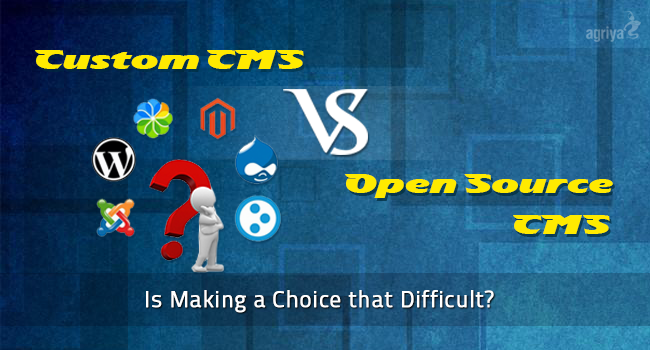
Custom CMS vs Open Source: Is Making A Choice that Difficult?

open source cms vs custom cms

CMS, as you all know is the essential part of website creation. The open source, and the custom CMS are most commonly used CMS types. Strictly speaking, both these CMS types are unique in the features they offer to the organizations, and developers prefer the best CMS type according to their requirement. Anyhow it remains as a matter of fact that open source development is widely selected by developers over Custom CMS or proprietary CMS these days. It does not indicate that custom CMS is unpopular, and is of no use. The use of Custom CMS will prove to be effective at some points for completing the  activity of website development. Here let us make a general study on the positives and negatives of both these CMS. 

Custom CMS

Custom CMS is basically industry specific, and it is usually made to carry out special purposes. It is subscribed for a limited period of time, ranging from a month to year or even more. Custom CMS, at times allows organizations to save production cost. Instead of going for the complete purchase, companies can choose a software which has already been created for the same purpose. At times companies will receive a better product,if the company which provides the software offers timely updates.

Advantages


Initial cost of Production is Low : Rather than creating the CMS new, companies can make use of a pre-built CMS which offers the same features they are looking for. It will help them to save making cost, a lot.

Less number of Spam : Proprietary CMS is less utilized, for that reason it contains very less number of spam. The focus of hackers will be largely on CMS types that are widely utilized.

Disadvantages


No options for customizing : Custom CMS comes with many number of parameters, and is difficult to customize according to the needs of the users. It needs webmaster’s permission for even small changes.

Need to wait for webmaster’s help even for making simple changes : Custom CMS is not an independent platform, hence users rely on others all the time for making changes.

Issues of security, quality, and inclusion of additions : Quality of a custom CMS remains unpredictable. There may be security lags, and issues with integration leading to the overall performance of the product.

Open source CMS 

Open source platforms are commonly used. WordPress, and Drupal are good cases in point. Any developer who have sufficient knowledge about the programming languages will be able to modify it, and because of free accessibility to codes it is easy to make corrections.

Advantages


Availability of Developers : Custom CMS vs Open source: is making a choice that difficult? Open source platforms are widely used, and users will find plenty of developers who have knowledge of the codes. Developers who have the technical know-how are easily available.

Consistent Updates : All the popular open source CMS platforms are frequently updated, and users can freely download these basic updates likewise.

Better Usability, and Simple Customize : Open sources can be customized in multiple ways as per the likes of users. It adds to the usability of open source platforms. User can create better interfaces by spending less amounts using open source CMS platforms.

Portable Platforms : Users can shift from one open source CMS platform to the other without much difficulties. You will have all the facilities in your website while porting it to another open source CMS. Drupal to WordPress is a good instance.

Disadvantages


Some Open source Platforms are not worth using : Every open source platform shares almost the same base, but some platforms are rarely updated, and are really a pain to use.

Presence of Spam : Developers need to be careful, while using open source platforms. All widely utilized CMS platforms that are free to download comes with a lot of spam, and are vulnerable.

Customers who need special additions in their CMS need to pay more : The templates or widgets included in open CMS platforms may not be sufficient, hence users need to pay more money in addition to the initial investments to run the website. Anyhow the basic open source customization services are cost-effective, but customization may go high.

8 Common Mistakes Committed by Newbie Drupal Web Developers


Drupal is a content management system renowned for the top class functionalities it offers to the web developers. Organizations providing open source customization services utilize the exclusive attributes of this  content management system for creating various types of websites. As a result, users can find out thousands of web pages ranging over various niches including corporate blogs created using Drupal. 

Websites developed using Drupal can bring you optimal performance, and fabulous features. The flexibility of a website designed using Drupal CMS is optimal. While creating websites using this rich CMS, every developer should be careful, for it offers a good number of development possibilities that should be done by following certain rules. 

Developers who are at the beginner level make many mistakes while creating web pages using Drupal. In this article, we can analyse some of the quite common errors committed by amateur Drupal web developers.

1. Neglecting the Use of Standard Content Types

Developers should follow a content standard architecture, for it is the life of every website. Content architecture of a website, or CMS is vital while programmers proceed with the terms of development. A developer should  thoroughly know about the content needs of a website, and chart it properly before setting the layout pattern. While working with Drupal, programmers should use the standard content types along with fields to avoid common mistakes.

2. Installing of Themes in Wrong Directories

The core functioning of a website depends upon the installation of themes as well as modules in the right directories. If a developer installs many of the themes in a wrong directory without doing it in the root level, it will lead to many issues at the time of upgrading the website. To avoid this issue, be sure that you have installed the themes in correct directories.

3. Needless Coding

Writing of unwanted or extra codes is not a standalone issue with Drupal programming. It happens with every CMS. Drupal is a CMS which offers more than 30000 functionalities, hence developers get plenty of options or modules to add multiple functionalities to a website. To avoid needless coding or the inclusion of extra bit of codes, developers can depend on the official Drupal community. Ready made codes are freely available and programmers can save a lot of energy, and get perfect codes tested by the real Drupal professionals.

4. Evading the Backing of Website

Once a developer starts on with the creation of website using Drupal, he should not forget to keep the back up of that website. Keeping the backing of a website is very important, so that they make the changes in websites very easily. If the original data gets damaged, developers can continue the work without much problem by using the back up itself. So a novice Drupal developer must keep the back up of websites they create.

5. Slow Searching

Authentic search functionality used in Drupal is very slow. A programmer must add good options to increase the speed of that authentic search functionality in Drupal. The using of Solr Search will help programmers to add the speed of search functionality in websites created using Drupal.

6. Failure in the Controlling of Spam

Websites created with the aid of Drupal CMS are mostly vulnerable to spam. Hence it is the responsibility of a developer include superior spam controls on a Drupal website. To protect the website from spam Drupal gives good choices, so the developers should keep it on to avoid mistakes that occur due to spam.

7. Failure in Enabling SEO Techniques

Any website which fails to come up high in the list of search crawlers is functionally useless. Drupal as a prominent CMS offers developers a good list of options to add SEO specifications. It will help developers in the indexing of Drupal websites very easily. Hence it is up to developers to add SEO specifications in a Drupal website.

8. Neglecting of Proper Permissions

Proper functioning of the front as well as back end is very vital in the working of a website. Enabling of apt permissions increase the security aspect of a Drupal website. For the smooth working of Drupal websites, a developer must make sure that all the vital permissions are correctly enabled.

Conclusion

Undoubtedly, Drupal has many special features, and multiple modules to serve developers in the creation of websites as a part of open source development. Then novice developers are advised to take an extra bit of care while developing websites using Drupal. Here we have only stressed upon some important points that may lead developers in the creation of flawless Drupal websites. 

How WordPress makes PHP Popular


how-wordpress-make-php-popular


The title of this article may sound odd to many developers as well as professionals who work with the internet. WordPress is a popular application developed using PHP, and there are many powerful PHP frameworks that offer great web building features over the web. 

Then how WordPress leads to the fame of PHP? There are many methods in which you can identify the popularity of a web page or application on the web. We can correctly identify the popularity of technology, a web page or an application by just counting the search over a particular keyword. 

Open source customization services is a massive field and many things including the WordPress development, PHP web page creation can be included in it. Here in this article, we can trace some reasons that make enable WordPress to make PHP popular among web development communities.  

What the Analysis Suggest?   

Just use the Google Trends, and analyse the popularity of all PHP frameworks and WordPress. The data will itself give you an idea. It will show you the popularity chart based on the keyword searches. Then any user can clearly identify the popularity of WordPress over any other PHP frameworks. 

No Third Party PHP Frameworks  


WordPress is an application developed fully using PHP without any third party components. It is does not need any of the third party components for developing web pages. 

WordPress Installations and PHP Hosting  


If users need to host a WordPress installation, they should resort to a PHP hosting services. Then quite naturally , users will think about PHP hosting as well. The users will then do a general study on PHP installation. This makes PHP even more popular whenever they do WordPress installation process.

WordPress Plugin System


The fame of WorPress can trace back to the development of blogs. Take the case of all the blogs developed over the web. It is more the number of websites developed using PHP frameworks. The WordPress plugins used to create blogs are basically developed with PHP language, hence WordPress indirectly makes PHP famous. 


No Programming Knowledge Need to Create Website  


This will be the most important difference between WordPress and all other PHP frameworks. The person who uses a PHP framework might be a professional or an experienced programmer who knows every aspect of programming. Those who do not know the basics of programming can utilize WordPress for developing websites. It indirectly makes users aware of PHP development as well as hosting services.

Shall I use WordPress to Develop Websites?  


It may sound to be the most important question? WordPress is created using PHP and is the most famous blog making tool. Still, users cannot use WordPress to develop all kinds of websites. Let us explain it in detail. 

If we are planning to create an e-commerce website with a large number of pages that utilize SQL databases severely, we cannot depend on WordPress. WordPress is not created to suit that purpose. It can used to create basic websites that are less in features. 

For creating web pages like blogs WordPress really exceeds all other PHP frameworks, but when it comes to creating websites loaded with massive contents and images, we will have to rely on other PHP frameworks. 

Conclusion   


The main point detailed here is the popularity of WordPress when compared to other PHP frameworks. Let us take the case of any other PHP frameworks including Yii, Laravel, CakePHP so on. 

The WordPress as a term will be quite popular among internet users than the other terms mentioned above. The role of frameworks in PHP web development is unavoidable, even though WordPress as a PHP application is more prominent among the internet users. 

6 Superlative Features of WordPress 4.1


wordpress-4-1-features


WordPress is a world-best popular blogging platform used by 20.3% of the top 10 millions websites as of Jan, 2015. But in future it empowers more than 60 million websites.

It seems to be a long-awaited for release of WordPress version 4.1, which is available for download or update. This version has proven to be apparent milestone for developers due to its plethora of improvements, advanced functionalities, general updates and new stunning features. Whatever it may be, this version shows something excitement for developers to get into it.

Here we show you what’s new in WordPress 4.1 has brought to us and have a deep look about its prominent features.

1. Inline Image Editing Tool Bar


It’s often being trouble faced by many WordPress newbie’s in aligning and editing image inside the WordPress post editor. Now, it has been solved with help of new inline image editing tool, which enables the user to align images instantly & easily by seeing alignment options in media editor. Further, it allows users to edit an image by utilizing pencil button, which opens the image into a popup.


2. Customization API


Theme developers can make use of this customizer controller API to render your own controls in customizer sections for creating better theme option management based on “Open Source Customization Services”. This API customizer builds entire JavaScript API to ensure lots of improvements in contextual panels and ensures new media experience for end-users.


3. Plug-in Recommendations


Developers can easily access a list of recommended plugins for WordPress 4.1 due to recent update in the API. You can also create a new tab for recommended plugins instead of replacing the popular tab. It shows you which plugins are performing well across the directory and offers you a strong foundation to initiate good start for plugins.


4. Social Icon Menu


The social icon is one of most significant features in-built with latest default theme “Twenty Fifteen” and it includes familiar social buttons including Facebook, Google, Twittter, LinkedIn, Pinterest and Instagram. The default theme will convert them to actual-size icons automatically.


5. Responsiveness


It is the most flexible and fully responsive design that perfectly suits exactly into current web trends for mobile devices. It has multiple navigation menus, which enable you to build the exciting themes in just a few minutes. You won’t find any better tool to develop exceptional sites and it allows to maintain images, galleries, and post meta sections consistently on every page. Twenty Fifteen makes your website being run on a mobile phone in a genuine way.


6. Better Session Management


This feature ensures you a new session management function, which ensures complete control over all sessions acquired on different mobile devices. It is integrated with user-interface management system along with the users section of the dashboard which is helpful in case of your mobile is lost and forgets to log out a system.


Conclusion


However might be, creating websites and applications are extensively utilized by organizations around the world. So by following above mentioned prominent factors, developers will love it and think about the WordPress 4.1 features are perfect match for them in getting greater chances of creating lively websites as well as applications.


Most Important Features of Magento and WordPress


wordpress-magento-features


Before creating an e-commerce website, a potential business organization will look for multiple platforms that aid them to accomplish the task as per the norms they have set in terms of budget or time-limits. Thanks to the merits of platforms which support open source development such as Magento, WordPress, and PrestaShop. Among the commonly utilized open source platforms, the titles of Magento, and WordPress are most heard. Here we can discuss the most vital traits of the Magento and the WordPress.

A closer look into Magento


Magento, undoubtedly is one of the best e commerce platforms available right now. It has served various small, medium, and large scale organizations from the day old. You will easily find millions of e commerce websites created using this platform, for the powerful features it offers to the developing community.

One dashboard for multiple stores


Any business owner can easily extend their websites to any level by using the dashboard of Magento brilliantly. It is designed to run multiple windows. It is the best advantage business owners get with using Magento as a platform to build e commerce websites. It has a lot more flexibility.

Great community support


when you compare Magento with any other platform, another plus point you will find is community support. It has many number of followers, and developers to assist the beginners as well as the expert ones.

An organized platform


Magento is a platform which helps developers to do work in a more organized way. It is loaded with powerful filters and attributes to control all types of store arrangement as per the needs of developers. Thus developers can load hundreds of products to the website supported by this platform without any difficulty. The administration controls of this platform are exceptional, and it aids developers to speed up task, that too in an organized pattern.

A closer look into WordPress


Together with WordPress the next term strikes in everyone’s mind is the pluggins. It is at large a content based system which can be used as an e commerce platform as well. WordPress gained popularity in a less time span. WordPress and Magento are platforms that can be integrated each other for creating excellent e commerce websites. A discussion on powerful features WordPress encompasses as an e commerce platform will be noteworthy.

Even new comers find WordPress easy


WordPress has a good number of Plug-ins, as well as widgets that allow beginners to create websites. Users who have different levels of knowledge can deal with WordPress plugins.

SEO-friendliness


When it comes to inbuilt SEO promotional tools, WordPress has a clear advantage over any other e commerce platform. Implementation of SEO features is a bit easy with WordPress.

Hosting is easy, and less expensive


Hosting of websites is very easy with WordPress. It provides developers with a good number of free templates, and even paid templates are costless compared to other platforms.

Conclusion


In short, WordPress will be an ideal platform for novice developers. Magento remains a very good platform for dedicated developers. It is complex in nature for many developers, but once you identify its features correctly, you will feel much comfortable. Both are equally good open source developmentplatforms, and can be used for creating stunning e commerce websites. 

Common WordPress Mistakes Committed by Newbies


WordPress has been the leader among the various Content Management Systems. Needless to say, the second popular CMS only comes a distant second in terms of popularity. PHP is a platform of WordPress. This CMS, which is free, is based on MYSQL.

Like anybody else, even the WordPress users and developers, during the open source development of it, make some common mistakes. These silly blunders can easily be avoided.

8 Common Mistakes Committed and The Ways to Prevent them


common-mistakes-in-wordpress-development

1. Failing to Create Backup for Your Site


This common mistake will cost your dearly. All the information and data will be lost due to sheer negligence. However, it can be prevented by having a manual or automatic backup of the WordPress site. Even in the event of website getting crashed or corrupted, all your data is safeguarded. 

To back up, just go to Tools, after that, to Export. Use WP-DB-Backup automatic plugin. Also, phpMyAdmin tool or Vaultpress can be used for self-hosted wordpress.org.

2. Use of Default and Unfriendly Permalink


Permalink (permanent link), or URL of a web page is by default set. The URL structure, which looks gibberish and meaningless, can be changed to more understandable way. You should use right keywords in a permalink. Doing so helps your website rank better in the search engine results, apart from enhancing the user experience. To change the structure of permalinks, go to Settings and then to Permalinks.

3. Not Installing Google Analytics and Google Search Console


It is yet another avoidable mistake. Hope you know what is Google Analytics! Nevertheless, Google Analytics helps you in tracking and reporting your site's traffic. It offers you lots of insights. You get to know the keywords that are to be incorporated into your writings so that you drive more traffic to your site.

Ensure that you integrate Google search console ( previously Google Webmaster Tools). Submission of XML sitemap to console helps you to get all the pages of your website indexed.

4. Continuing the use of Default Favicon


Favicon, or favorite icons are small icons. They could be seen adjacent to page title in the browser window, or the browser's address bar. It is one major mistake done by WordPress newbies, i.e., to continue with the default favicon. Changing the default favicon to you own one would exhibit your professionalism. To replace, checkout for a free favicon generator on the web, visit the images section, replace the default one with your own.

5. Failing Your Mobile Users


Increasingly, people are switching over to smartphones. Failing to make your site mobile-friendly and tablet-friendly will result in you paying the price. What price? Your site will slowly lose traffic. So, to address this issue, use a plug-in like WPtouch for customizing the site for mobile devices. Using responsive Wordpress theme also helps in adapting your site to diverse devices.

6. Not Installing a Caching Plugin


Yet another major blunder. Installing a caching plug-in is of utmost importance. Apart from caching plug-in, Content Delivery Network also has to be used. The reason for this need is that your site wouldn't crash and can even sustain a massive traffic. That said, caching helps in improving efficiency, preventing downtime and also decreases the site's load time. 

W3 Total Cache is the best-known plug-in that could help in speeding up the WordPress blog. Also, WP Super Cache is another plug-in

7. Paying No Attention to WordPress Updates


Every time a bug is found or any susceptibility to it is found, WordPress gets updates. Neglecting any updates will only result in your site becoming prone to attacks from hackers. So take no chances when it comes to security.

8. Creating too Many Categories


While you should be thankful to WordPress for allowing to create as many categories, this may also result in cluttering your site. Properly categorize and structure all the topics accordingly. Offer a pleasant experience to the visitors of your site.

Conclusion


Ensuring that these mistakes aren't committed will help in the success of your WordPress site. Make a list of to-do's so that you do not miss on anything. After all, it is always advised that you "look before you leap."

5 Excellent Open Source Tools for Web Developers

The evolution of open source applications and tools are highly beneficial for web designers as it is highly efficient and boost the performance of the websites. 

Before creating any website, the web developer must find genuine information about the latest tools available for building websites. This would help the developers to deliver an unimaginable website in a timely manner. 

Open source development tools are little expensive and are also free.Only free tools are makes web developers to do their task always easily and efficiently without spending a money. 

Well, in this article, you will find 5 best open source tools that have gained huge appreciation for its high performance.

5 Best Open Source Tools

Bootstrap

Bootstrap


Twitter has launched this excellent tool in 2011 with an aim to provide web designers an opportunity to develop world class websites as per their preferences. Bootstrap is a front-end framework which helps the web developers to improve the development process to a greater extent. It is completely OS independent and takes a mobile-first approach for compiling code based on pure CSS. 
 

Brackets

Brackets


This is extremely useful for web developers who are looking to provide ideal web development solutions. Bracket is Adobe’s project which has gained widest recognition on GitHub, even though it's a preview release. It’s an absolute code editor developed with leading web technologies in order to help web developers to build stunning range of websites.
Operating System : OS Independent

CodeMirror

CodeMirror


CodeMirror has come into existence to meet the needs of web developers in terms of embedding a code editor in their websites. This process would enable you to build a site that provides programming tutorials. This is another OS independent tool that works both on desktop and mobile browser since it’s a browser-based text editor. 
 

Ember JS

Ember.js


Though a plenty of JavaScript Web development frameworks are available, web developers prefer Ember.js which itself "a framework for developing the most aspiring and reliable Web applications. 

Operating System : OS Independent

ZURB Foundation

ZURB Foundation


ZUBRA foundation is a well known and latest responsive front-end framework across the globe. This is one of the other reputed projects on GitHub. It assists the web developers to build sites promptly. ZUBRA foundation based sites has the ability to automatically get adjusted to the size and type of device being used for access. 
 
All these tools are helpful to create a good quality and an impressive websites within a limited time period. Hence, if you want to develop your own website, handpick these tools!!

12 Reasons to Choose PHP for Developing Website in 2015

The Internet industry has been revolutionizing numerous technologies for the betterment. Most web developers choose PHP to design their own website. The main reason is it is an open-source server-side scripting language that provides multifarious features. 
 
It is also an interpreted script language best suited for developing websites as per your preferences. Further, PHP is highly beneficial for its users since it is compatible with both Windows and Unix-based operating systems. It also enables the users to easily manage and upgrade their PHP based websites without any burdens. 
 
If you are looking to create a website then choose PHP to build exceptional quality websites and web applications effortlessly. Execution of a wonderful websites can easily be achieved with the support of expert PHP developers who have vast experience in the online industry.

This blog is very useful for the users as it contains various information on why to choose PHP over other languages! Let’s have a look on the reasons why PHP is extensively used for website development. 

Reasons to choose PHP

1. User – friendly 

 
PHP is absolutely simple to comprehend than other programming languages. Since it is an easy and powerful language, it has been widely used for creating web based applications that requires utmost functionality with minimal coding. In addition, PHP based web applications are extremely secure as compared to applications of various other programming languages.
  

2. Flexibility 

 
This is a one only language that provides maximum level of flexibility as compared to languages like Asp, .Net and etc. It is ideal for any users who look to extend the high-end programming language to exactly match the custom requirements of any businesses.
Moreover, it is open source software which allows the user to use any editor to write the code. It can also be combined with diverse libraries such as graphics and Extensible Markup language (XML) and etc. 
 

3. Dynamic


It is an effective language enables you to develop lively websites which refresh automatically. Using PHP for creating websites may not require any updates manually for refreshing it. PHP web development includes a various interesting process that mesmerizes the users.

4. Cost Effective


PHP is being widely used by an extensive range of users for the past 2 years as it is economic for developing a website efficiently. Besides, it can easily be obtained free of charge from the internet. The users can also download the latest version for free of cost at any time. It is highly beneficial for web developers who strive to make a new entry in the online market.  

5. Data Processing 

 
Developing any website using PHP supports the user to include fast data processing features. It also helps to improve the website functions to a greater extent.

6. Open Source


PHP is universally recognized open source language which provides ultimate solutions for all website development needs. The reason behind the success of this high end language is, it is totally free and simple to use.

7. High Performance 


PHP is a unique language that completely improves speed of development, rather increasing the speed of execution. It operates on a conventional web stack. PHP makes full use of Apache web server. Likewise, PHP applications utilize Apache web server as well as the MySQL database.

8. Cross Platform


Now, it is quite easy to create cross-platform applications with PHP since it works amazing on UNIX, LINUX and Windows platforms. It is developed in such a way that it interfaces with Apace and MYSQL. If you are interested to develop a cross platform application, PHP is the right choice.

9. Prominent in CMS


Any websites that has been developed from PHP are fully customized and assists the programmers to develop websites as per their clients’ preferences.

10. Embedding Qualities


One of the superior qualities of PHP language is that it can easily be embedded into HTML within a very few steps. This is an exemplary language supports web programmers to convert an existent static website into a whole new active one.

11. Extensions


Being a flexible and innovative language, it provides many numbers of extensions. The output of this language is fully significant and helps the users to determine their return on investment.

12. Instant


This is considered as a fast and instant language which caters quick turnaround time. By employing a well experienced PHP developer, you can obtain a prompt solution that you want to achieve for a very long time.

These are some of the main reasons why all the web developers choose PHP over other languages for creating an unimaginable PHP web development projects.